Shape Flow (4.9 update) Game-Changing Video Transition
The Shape Flow tool is a game-changer that allows you to effortlessly create stunning animations by following the path of any shape in your video. Whether you want to reveal a hand-drawn illustration, grow a tree, or add colored trails to your images, Shape Flow can help you achieve jaw-dropping results with just a click.
What's more
You don't require any specialized skills or knowledge of complex animation software to use it. With Shape Flow, you can remain within Premiere Pro and create impressive reveals with ease, without switching between Premiere Pro and After Effects.The 4.9 update also added three new plugin improvements to the Film Impact arsenal:
- Push Impacts: New Lock Feature
- Slice Impacts: New Slide Distance Feature
- Louvre Impacts: Improved Panel Dolly behavior
We’ll focus more on those two later. Now let’s explore the amazing powers of the Shape Flow tool!
A Smooth Reveal Animation is Now Just a Click Away
Check out our revolutionary tool
So, what exactly is Shape Flow? At its core, it's a video transition that tracks the shape of an object, allowing you to create seamless and dynamic reveals that will keep your audience engaged. Imagine running colored water through transparent pipes. This creates a mesmerizing revealing effect that is sure to leave your audience in an awe.
“But doesn’t this take too much time and effort to accomplish?”, you might ask. No, not at all! We know that achieving the same effect in After Effects is a hefty task, but here all you need is to apply the effect to the transparent PNG layer and the magic happens in front of your eyes!Here, let me show you.
Drag and drop
With just a quick drag and drop action, I achieved a stunning reveal effect that was ready to use right away. Pretty amazing, huh? And that's just the tip of the iceberg in terms of what the Shape Flow tool can do!
To access the new Shape Flow tool, please ensure that you have the latest version of Film Impact installed.
Additionally, please note that this feature is only available with The Big Bang plan.
Now, let me show you some examples of how you can use the smart Shape Flow tool to create a true masterpiece!
Growing Trees
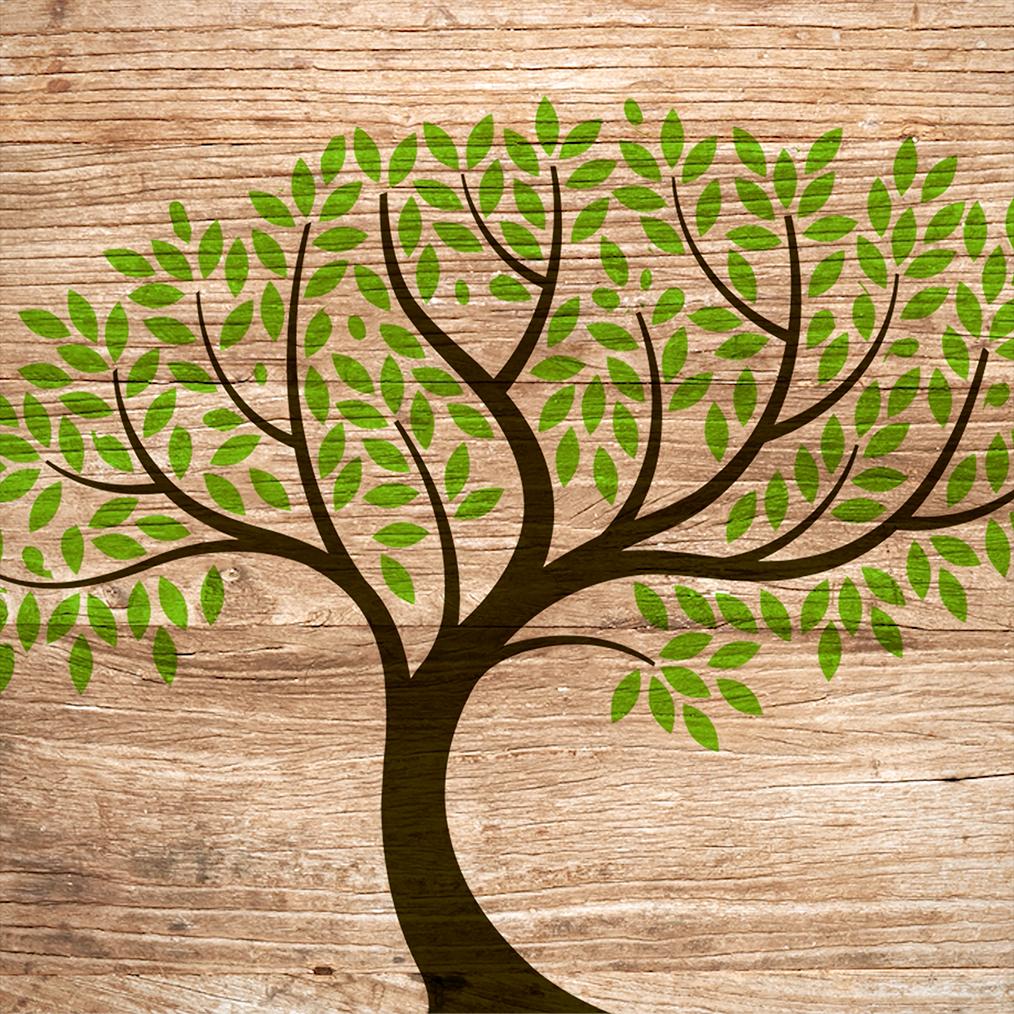
Growing Trees is one of the most impressive examples of the power of the Shape Flow tool. It lets you create a stunning effect that simulates the growth of a tree, from its roots to its branches and leaves.
By adjusting the start point and a few other settings like Edge Delay, Luma Detail, Object Delay, and Object Variation, you can make the tree grow in a way that looks natural and captivating. Whether you're working on a nature documentary or a creative video project, using the Shape Flow tool to create a growing tree effect can add an extra layer of depth and meaning to your visuals.
Hand-Drawn Images
With Shape Flow, you can transform a boring static hand-drawn image into a dynamic animation in a matter of seconds. The tool provides a seamless way to add life and movement to your artwork, making it perfect for use in presentations, video intros, or social media posts.
By adjusting the start point, you can easily choose the point at which the drawing will begin to animate, allowing you to add an element of surprise or suspense to your video. The Edge Delay and Luma Detail settings allow you to control how the ink lines appear and disappear, giving you full creative control over the animation.
What's more, the Object Delay and Object Variation settings let you add unique flourishes and movement to your animation. You can make your lines appear in a sequence, creating a ripple effect, or add variation to the timing of the animation for a more organic and hand-drawn feel.
Colored Trails
Spark your videos with vibrant colors! One of the most impressive capabilities of Shape Flow is the option to add colorful trails to your transitions. The "tri-tone" feature in Shape Flow allows you to customize the colors to your liking, giving you complete creative control. You can select from a wide range of hues and create a reveal that truly represents your brand or message.
But it doesn't stop there - you can also adjust the length and feather amount of the trails to create a unique effect. Whether you want a quick burst of color or a longer-lasting trail, Shape Flow gives you the ability to make your vision a reality.